
Vibra Live: Go Live
Vitality AISocial
3.928.00 Reviews
- Version
- 1.0.13
- Installs
- 500.00K
- Age Rating
- Teen
Screenshots
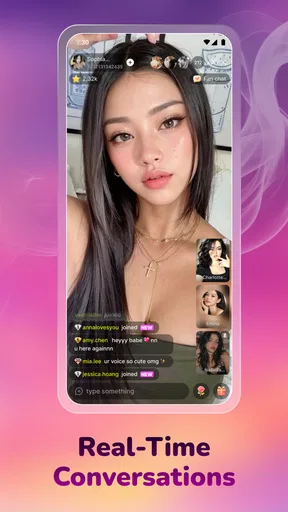
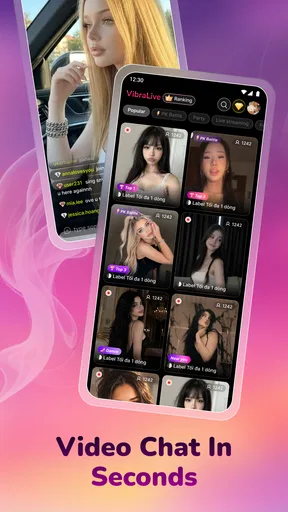
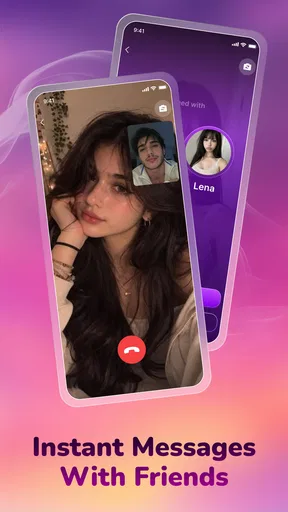
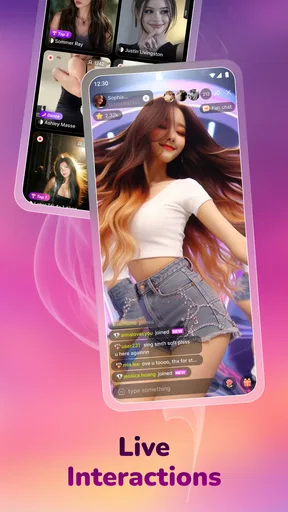
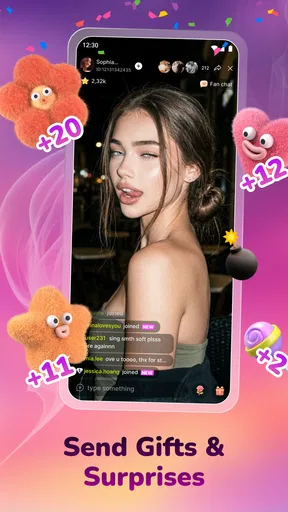
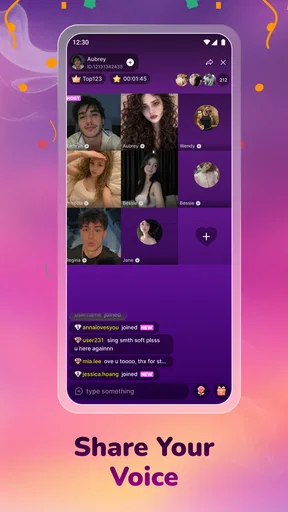
Our Review of Vibra Live: Go Live
 Analysis by Appyee
I came away from Vibra Live feeling that it is best understood as a social discovery app with several ways to interact, rather than as a simple live-streaming tool. Its mix of live broadcasts, video chat, short-form video and worldwide connections gives it a broader social rhythm than an app built around only one format. I can move from watching something live to a more direct conversation, then browse shorter clips when I only have a few minutes.
That flexibility is the main reason I would recommend trying it. At the same time, it also creates the app’s biggest challenge: people who prefer a very focused experience may find the combination of formats busy. Vibra Live works best when you enjoy discovering people and content without knowing exactly what you will find before opening the app. It is less convincing for anyone looking for a tightly organized community, a private messaging-first service or a polished replacement for a dedicated video platform.
How Vibra Live feels in everyday use
Vibra Live is a free social app from Vitality AI, aimed at users who want more immediate interaction than ordinary scrolling provides. The Teen content rating sets a clear expectation that it is designed for a younger and general social audience, not as an adults-only service. The app supports Android devices beginning with version 7.0, which makes it accessible to people using older phones as well as newer models.
My first impression is that the app’s appeal comes from movement between formats. Live streaming creates the feeling of joining something already happening. Short videos are easier to consume casually, especially when I am waiting for a bus or taking a quick break. Video chat is more personal because it shifts the experience from watching someone to communicating with them. These modes serve different moods, and that variety is more useful than it may sound.
A realistic everyday use case would be someone finishing work or school and opening the app for a few minutes. They might watch a live session, discover a creator through a short clip and decide to continue the interaction through chat. The value is not necessarily in one spectacular broadcast; it is in having several routes into a social exchange. I found that helpful when I did not want to commit to a long video but still wanted something more interactive than passive entertainment.
The worldwide focus also changes how the app feels. Instead of being limited to people I already know, it encourages contact with users from different places. That can make the experience fresh, but it also means the quality and relevance of what appears may vary. A person who enjoys browsing across cultures and interests will probably see this as a strength. Someone who wants a carefully filtered feed made entirely of familiar topics may find the discovery process less efficient.
Live interaction is the strongest reason to install it
Live streaming is the part that gives Vibra Live its clearest identity. A live session has an immediacy that edited clips cannot reproduce. Even when the subject is simple, the possibility of real-time interaction makes me pay more attention. It feels less like opening a library of finished media and more like entering a room where something is currently taking place.
That quality is especially useful for users who enjoy conversation around content. A live broadcast can become a shared moment rather than a one-way viewing session. The experience is also more spontaneous than short videos, where every second has usually been selected and edited. I like that contrast because it lets me choose between quick entertainment and a more open-ended social environment.
However, live content naturally asks for more patience. A short clip can deliver its point immediately, while a broadcast may take time to become interesting. This is an important trade-off for new users: the app may seem less impressive if they judge it only by the first few live sessions they encounter. I recommend giving the live section enough time to reveal whether its communities match your interests before deciding that it is not useful.
For creators or social users, the live format can also be a more direct way to build familiarity. A repeated presence matters more in live interaction than in a single isolated clip, because viewers can recognize a style and return when the timing suits them. I would not treat this as a guaranteed audience-building tool, but it does offer a setting where personality matters more than a perfectly edited presentation.
Video chat adds personal contact, but it changes the risk level
Video chat makes the app feel more immediate than a feed-based social network. It can be useful when text feels too slow or impersonal, and it may suit people who prefer seeing and speaking with someone rather than exchanging short written messages. In my view, this is one of the app’s most meaningful differences from ordinary short-video services.
The trade-off is that video communication requires more confidence and more care. I would not encourage a new user to treat every invitation or conversation as automatically trustworthy. The Teen rating is a reminder that younger users may be present, so sensible boundaries matter: avoid sharing private details, leave conversations that feel uncomfortable and involve a trusted adult when appropriate. These are not reasons to avoid the feature, but they are part of using it responsibly.
Video chat is also not the right choice for every situation. If I am in a noisy place, have limited privacy or only want to browse quietly, short videos are more practical. The app is strongest when its interactive tools match the moment. Trying to use video chat as the default for every social exchange would make it feel demanding rather than convenient.
One useful habit is to decide what I want before opening the app: discovery, watching, or direct conversation. That small distinction reduces aimless switching between sections. It also helps me judge the app fairly, because each format solves a different problem. The experience is better when I use live streaming for shared moments, short videos for quick discovery and chat only when I am ready for a more personal exchange.
Short videos keep the app approachable
Short-form video is the easiest entry point for most casual users. It requires less commitment than live content and gives a quick sense of the people and subjects available in the wider community. I found it useful for deciding whether the app’s overall atmosphere suited me before spending more time with live sessions or conversations.
The limitation is that short clips can make an app feel interchangeable with many other social platforms. Their presence is convenient, but they are not enough on their own to justify choosing Vibra Live over a service built specifically around short video. The real distinction appears when the clips lead naturally into live viewing or interaction with people worldwide.
I also think users should resist judging an account solely by one short clip. A brief video may be entertaining without showing how the person communicates live or in a direct conversation. Treating the formats as connected but not identical gives a more realistic picture of what the app offers.
Where the app sits beside familiar alternatives
Compared with a dedicated live-streaming service, Vibra Live feels broader and potentially less specialized. A focused live platform may be better for someone who already follows particular creators and wants strong tools around scheduled broadcasts or established communities. Vibra Live is more appealing if discovery is part of the fun and I want live content alongside other social formats.
Compared with a short-video-first app, its advantage is the path toward more direct interaction. A short-video service may offer a faster, more refined browsing loop, while Vibra Live gives me more reasons to stay after a clip ends. The downside is that the experience may feel less concentrated if my only goal is rapid video scrolling.
Compared with a conventional messaging app, Vibra Live is more open-ended and discovery-driven. Messaging apps are usually better when I already know who I want to contact. This app makes more sense when I want to meet new people or explore live social content. That openness is also why I would be more cautious about privacy and personal boundaries here than in a conversation with established contacts.
In other words, Vibra Live is not a universal replacement for every social app. Its strongest position is between entertainment and social discovery. It combines enough formats to support different moods, but users who want one highly optimized purpose may prefer a specialist alternative.
Practical details that affect the decision
The app is free to download and use, which lowers the barrier to testing it. It includes in-app purchases ranging from ninety-nine cents to fourteen dollars and ninety-nine cents per item. I would approach those purchases carefully and use the free experience first to understand whether the community and interaction style are genuinely useful to me.
The current version is 1.0.8, and the app has passed one hundred thousand installs. Its average rating is 4.3 from 321 ratings, which suggests a generally positive reception while still representing a relatively modest sample. I would read that as encouragement to try it, not as proof that every user will have the same experience. Social apps depend heavily on who is active and what content is available at the time.
The app was released on July 6, 2026, so I would expect the experience to develop as Vitality AI continues refining it. That can be positive for users who like joining an app while it is still taking shape, but less appealing to people who want a mature platform with years of established habits and communities. The early-stage feeling may be part of the appeal, yet it also means expectations should remain realistic.
Who should use it, and who should skip it
I would recommend Vibra Live to someone who enjoys meeting new people, watching live content and moving between quick clips and more personal interaction. It is particularly suitable for users who do not want social media to be only passive scrolling. The combination of formats gives them several ways to participate, depending on how much time and attention they have.
It may also suit a curious viewer who likes international discovery. The worldwide social angle can expose me to conversations and personalities I would not encounter through a feed limited to existing contacts. That benefit depends on being comfortable with unpredictability. If I need every recommendation to be tightly relevant, the app may require more filtering and patience than I want to give.
I would suggest skipping it if the main goal is private communication with friends, highly controlled professional networking or a purely polished short-video feed. A dedicated messaging service is more appropriate for known contacts, while a specialist video platform may offer a smoother experience for viewers who do not want live interaction. The app’s breadth is a strength only when I actually want breadth.
Parents and younger users should also treat the social features thoughtfully. Because the app carries a Teen rating and includes live and video communication, conversations should stay within comfortable boundaries. I would avoid sharing identifying information, move away from interactions that pressure me and remember that a friendly presentation does not automatically establish trust.
The limitations I noticed
The biggest weakness is not one missing function; it is the tension between variety and focus. Live streams, short videos and video chat appeal to different habits. When they are presented together, the app can feel lively, but it can also make the purpose of a particular session unclear. I sometimes had to decide whether I was there to watch, browse or talk instead of being guided toward one obvious activity.
Discovery can also be a mixed experience. Meeting people from around the world is exciting, but broad discovery can bring content that does not immediately match my interests. Users who are willing to explore will get more from it than users who expect precise recommendations from the first moment.
The social nature of the app creates another limitation: the value depends on active, interesting participation. No social platform can guarantee that every live session will be engaging or that every conversation will feel worthwhile. Vibra Live’s several formats reduce that problem because I can switch activities, but they do not remove it.
Finally, optional purchases deserve attention. The free entry is helpful, but any app with individual in-app items can encourage spending during an engaging social session. I would decide in advance whether purchases fit my budget and avoid treating them as necessary for enjoying the basic concept. The best test is whether the free experience already gives me a reason to return.
My verdict after weighing the trade-offs
Vibra Live succeeds because it connects three different social impulses: watching something happen now, enjoying a quick video and speaking more directly with another person. That combination gives it a personality beyond a standard scrolling feed. I especially like the way a casual clip can become a starting point for broader discovery rather than the end of the experience.
It is not the app I would choose for every social need. Its open-ended nature can feel unfocused, live content asks for patience, and video chat demands stronger boundaries than passive browsing. People who want a specialized alternative may be happier elsewhere. Still, those limitations are closely tied to the app’s central idea rather than signs that the concept lacks value.
My recommendation is to try it if you want social entertainment with a real-time element and you are comfortable exploring beyond your existing circle. Start with the free experience, sample each format separately and decide which one fits your routine before considering any purchase. If that combination feels energizing rather than distracting, Vibra Live can become a worthwhile way to spend a few spare minutes or find a more immediate connection.
For me, the clearest conclusion is simple: this is a promising choice for curious, socially active users who want more than silent scrolling, but it is not a universal substitute for focused live-streaming, messaging or short-video apps. Its best feature is the freedom to move from watching to interacting; its main cost is having to manage that freedom yourself.
Verdict
Strengths of Vibra Live: Go Live
- Simple interface makes starting a live stream quick.
- Supports real-time interaction with viewers during broadcasts.
- Useful discovery tools help users find active live rooms.
- Notifications can alert followers when a creator goes live.
- Works well for casual broadcasts and spontaneous content sharing.
Limitations of Vibra Live: Go Live
- Live content quality depends heavily on the host’s connection.
- Public broadcasts may expose users to unpredictable conversations.
- Some features or interactions may require in-app purchases.
- The app can consume significant battery during extended streaming.
- Privacy settings should be reviewed carefully before going live.
Similar Picks in This Category
View All
Meta Platforms, Inc.4.6

Instagram4.0

Likee-Live, Chat & Party Games
Likeme Pte. Ltd.4.4

Facebook Lite
Meta Platforms, Inc.4.5

TikTok - Videos, Shop & LIVE
TikTok Pte. Ltd.4.0

Moj: Free Short Drama & Reels
ShareChat4.1
Frequently Asked Questions
What is Vibra Live: Go Live and what can I do with it?
Vibra Live: Go Live is a social live-streaming app designed for watching and hosting real-time broadcasts. After creating a profile, users can explore live rooms, interact through comments and reactions, follow streamers, and potentially meet people with similar interests. Available features may vary by region, account status, and app version, so it is worth reviewing the current store description before downloading.
Is Vibra Live: Go Live free to download and use?
The app can generally be downloaded without an upfront payment, but some features may involve optional in-app purchases. Live-streaming platforms commonly offer virtual gifts, coins, premium interactions, subscriptions, or other paid items. Before purchasing anything, check the pricing shown inside the app and review your device’s payment settings. Parents should also monitor purchases if the app is used by minors.
Do I need to create an account to use Vibra Live: Go Live?
An account may be required for interactive functions such as commenting, following broadcasters, sending messages, hosting a live session, or receiving personalized recommendations. Some content might be viewable without registering, depending on the current version. When signing up, consider using a strong password and only providing information that is necessary. You should also read the app’s privacy policy to understand how profile and activity data are handled.
Is Vibra Live: Go Live safe for everyone?
Because Vibra Live: Go Live includes user-generated live content and real-time communication, the experience can vary considerably between broadcasts. Users may encounter mature discussions, unsolicited messages, misleading profiles, or inappropriate material. Use the report and block tools whenever necessary, avoid sharing your address or financial details, and be cautious when communicating with strangers. Guardians should review age ratings and supervise younger users.
Does Vibra Live: Go Live work well on every Android and iOS device?
Performance depends on your phone or tablet, operating-system version, internet connection, and the number of people using a live broadcast at once. A stable Wi-Fi or mobile-data connection is recommended for smooth video and audio, while streaming can consume considerable battery and data. Before installing, check the official Google Play or App Store listing for supported versions, storage requirements, and the latest compatibility information.
